













Accessing Your Aphrodite Account: A Beginner's Login Guide and Troubleshooting Tips
Logging In to Aphrodite Casino
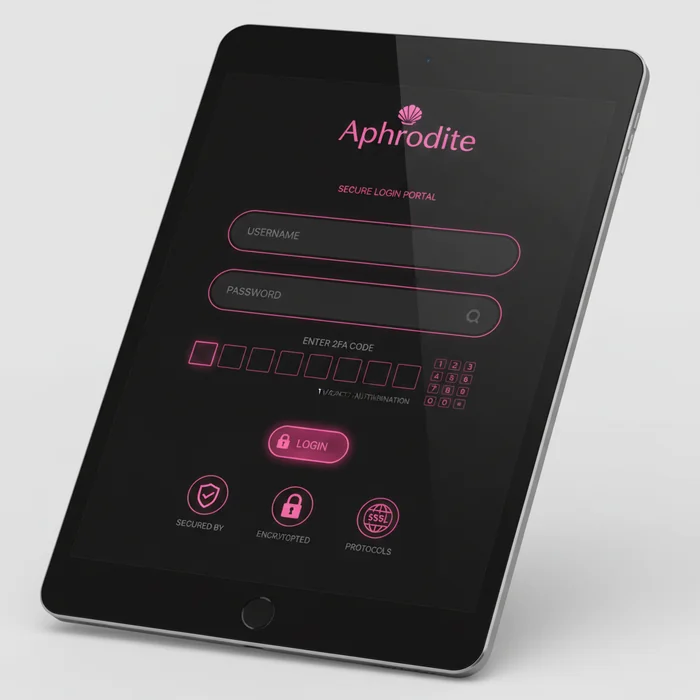
The Aphrodite login page is your gateway to our entire online gaming platform. Whether you're a brand-new player who just created an account or a regular coming back for your daily session, accessing your personal space takes only a few seconds — as long as you know where to look and what to enter.
Once logged in, your dashboard gives you access to your real-time balance, transaction history, active bonuses on our promotions page, and our full game catalog. Let's start from the beginning: understanding the login process, step by step, so nothing stands in your way.
How to Log In to Aphrodite Step by Step
Don't worry if this is your first time. We've designed this process to be as straightforward as possible, even if you've never played online before. Here's exactly what you need to do.
Step 1: Go to the Aphrodite Website
Open your preferred browser and navigate to aphroditiecasino.com. Once on the homepage, look for the "Log In" or "Sign In" button — it's typically located in the top right corner of the screen, clearly visible.
Click that button to open the login form. If you're on mobile, the menu may appear as a hamburger icon — tap it to reveal the navigation options, including the login link.
Step 2: Enter Your Credentials
The form requires two pieces of information: your email address (the one you used when registering) and your password. Enter both carefully — passwords are case-sensitive, meaning uppercase and lowercase letters matter.
If you'd like to stay logged in for future visits, check the "Remember Me" box. Simply put, this saves you from re-entering your details every session — convenient on your personal device, but best avoided on a shared computer.
Step 3: Two-Factor Authentication
If you've enabled two-factor authentication (2FA) on your Aphrodite account, an additional step will appear after entering your password. You'll receive a temporary code via SMS or through an authentication app such as Google Authenticator.
Enter this code in the designated field and confirm. The code typically expires after 30 seconds, so act quickly. This extra layer of protection is strongly recommended to keep your account secure.
Step 4: Access Your Dashboard
Once your login is confirmed, you'll be redirected to your personal dashboard. There you'll find your available balance, recent transactions, active bonuses, and direct access to all our games — from slots to live dealer tables.
For new players, we recommend starting by exploring the games available in demo mode, with no real money involved. It's the best way to understand the rules before wagering your funds. You can access these options directly from your dashboard after logging in to Aphrodite.
Available Login Methods on Our Platform
We offer several ways to log in to your account, depending on your preferences and the device you're using. Here's a clear overview of each option.
| Login Method | Availability | Security Level |
|---|---|---|
| Email + Password | All devices | Standard — recommended with 2FA |
| Social Network Login | Browser and app | Medium — depends on linked account |
| Aphrodite Mobile App | iOS and Android | High — encrypted session |
| Biometric Authentication | Compatible devices (fingerprint, Face ID) | Very High |
| One-Click Login (active session) | Personal devices with saved session | Medium — use with caution |
Which Method to Choose as a Beginner
If you're just getting started, the email + password + 2FA combination is the easiest to set up and provides a solid level of protection. Once you're comfortable with the platform, you can enable biometric login on your smartphone to save time.
Social Network Login
Logging in with a Google or Facebook account is available on our platform. In simple terms, this means you use the credentials from an existing service to sign in — without creating an additional password. Convenient, but make sure your social account is also properly secured.
Logging In from Your Mobile Device
For players who prefer gaming on the go, we've optimized the login experience for all screen sizes. Whether you're using an iPhone, Android, or tablet, accessing your account is just as smooth as on a desktop.
Via Mobile Browser
Open Safari, Chrome, or Firefox on your phone and go to aphroditiecasino.com. The site automatically adapts to your screen size — this is known as responsive design. The login button remains visible at the top of the page, even on smaller screens.
You can enable the "Remember Me" option to avoid re-entering your credentials on every visit. On your personal phone, this is a handy feature that saves you time.
Via the Aphrodite App
Our Aphrodite app offers an even smoother experience. Once installed, you can log in with your usual credentials, then enable fingerprint or Face ID login depending on your device. On first launch, simply enter your credentials once — then let biometrics handle the rest.
The app also saves your gaming preferences and sends you notifications about new promotions available on our bonuses page — a great way to never miss out on a deal.
Biometrics and Mobile Security
Biometric authentication (fingerprint or facial recognition) is available on compatible devices through our app. This method is both fast and secure, as your biometric data is stored locally on your device — it is never transmitted to our servers.
Troubleshooting Login Issues
Even on the best platforms, minor hiccups can happen. Here are the most common situations and how to resolve them quickly — without any stress.
Forgotten Aphrodite Password
It happens to everyone. Here's how to regain access to your account in just a few minutes:
- Go to the Aphrodite login page and click "Forgot Password", located below the login form.
- Enter the email address associated with your account. A password reset message will be sent to you within a few minutes.
- Open the email you receive and click the reset link. This link is valid for a limited time (usually 24 hours).
- Choose a new, secure password: at least 8 characters, combining letters, numbers, and symbols. Confirm it, then log in as normal.
Locked Account
Your account may be temporarily locked after several consecutive failed login attempts — this is an automatic security measure to protect your account against unauthorized access attempts. Simply put, if someone tries to guess your password, the system blocks access before they can succeed.
To unlock your account, you have two options: wait a few minutes for the temporary block to lift automatically, or contact our support team directly via the live chat available on the site. Our team is on hand to help you quickly and verify your identity securely.
An account may also be suspended for other reasons related to our terms of use. In that case, our team will contact you by email with details and the steps to follow.
Browser-Related Issues
If the login page doesn't display correctly or you encounter unexplained errors, the issue often lies with your browser's cache or cookies. Here's how to fix it: open your browser settings, find the "Clear Browsing Data" option, check cache and cookies, then reload the page.
Our platform is optimized for recent versions of Google Chrome, Mozilla Firefox, Safari, and Microsoft Edge. If you're using an outdated or uncommon browser, we recommend switching to one of these alternatives for a smooth experience. Browser extensions (particularly ad blockers) can sometimes interfere with the login form — try disabling them temporarily if the issue persists.
Protecting Your Aphrodite Account
Keeping your account secure is a shared responsibility. On our end, we use end-to-end SSL encryption and protocols to detect suspicious login activity. On your end, a few good habits make all the difference.
Creating a Strong Password
A good password for your Aphrodite account should be at least 10 characters long and combine uppercase letters, lowercase letters, numbers, and special characters (such as @, #, !). Avoid obvious combinations like your date of birth or your pet's name.
Ideally, use a password manager (Bitwarden, 1Password, or your browser's built-in manager) to generate and store complex passwords without having to memorize them.
Enabling Two-Factor Authentication
We strongly recommend enabling 2FA on your account. Even if someone gets hold of your password, they won't be able to access your account without the temporary code sent to your phone. This step takes less than two minutes to set up from the security settings in your profile.
Everyday Best Practices
Always log out of your account when using a shared or public computer — such as at a library, internet café, or a friend's device. Never leave your session open and unattended.
Regularly check the login history available in your account settings. If you spot a login from an unfamiliar location or device, change your password immediately and contact our support team.
Ready to Jump Into Your Gaming Session
Logging in to your account should never be a hurdle — which is why we've streamlined every step of the process, from credentials to biometrics to account recovery. If you've followed this guide, you now have everything you need to access your personal space with complete confidence.
Already registered? Head straight to the Aphrodite login page to get started. Don't have an account yet? Signing up takes less than three minutes — create your Aphrodite account now and explore our game catalog, including many titles available in demo mode so you can learn risk-free.
We're continuously working to improve your login experience, including new authentication options and an even more intuitive interface planned for later in 2026 — because at Aphrodite, every detail matters when it comes to giving you simple, fast, and secure access.